
Link & download
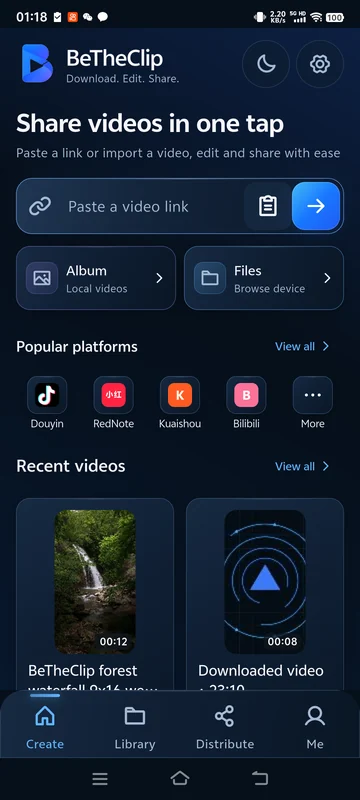
Paste a supported video link. BeTheClip downloads the video to your phone.
Video reposting, made simple
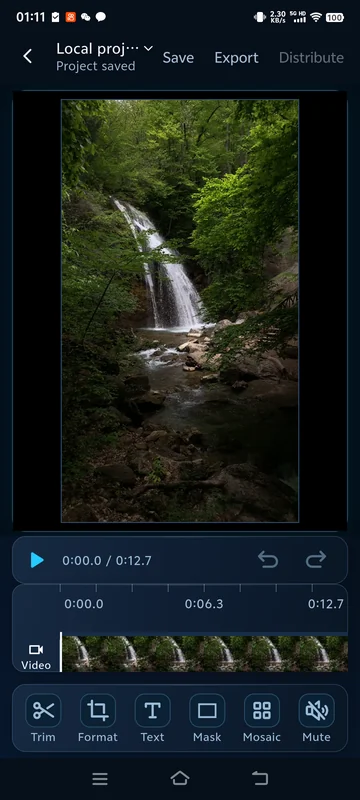
Prepare your videos in BeTheClip: import from your gallery or files, preview clips, save projects and export edited videos. You can also import downloads from supported public video links.
iPhone & iPadSubmitted for App Store review →
Simple Fast On your terms
A simpler way to download, edit and repost videos.
Paste a supported video link. BeTheClip downloads the video to your phone.
Preview your video and open the editor for the changes you need.
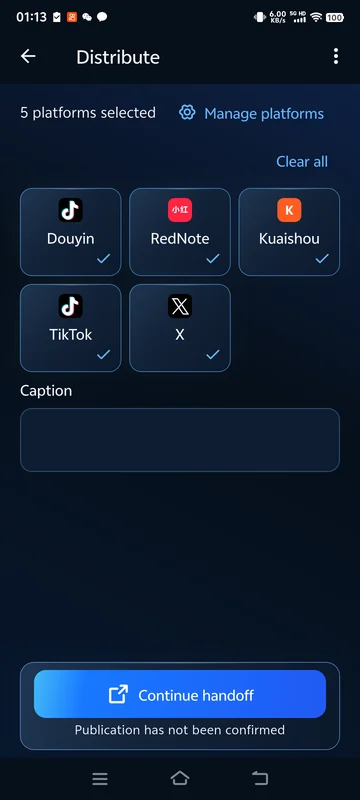
Choose added platforms and continue the handoff in each installed destination app.
Preview landscape or portrait video, use the tools along the bottom, then save your project or export from the top bar. Editing is optional.
Free: trim & mute · Plus: frame, text, mask & mosaic

Android · Free lets you configure 1 destination platform and change it when needed. Active Plus or a valid trial has no configured platform-count limit. This applies to platforms available in the app, not every service. The app hands off video and your prepared caption in sequence; you finish uploading and publishing in each destination app. System sharing remains free.

Android · Supported-link downloads and local video imports are free. Free tools include trimming a clip's start and end, muting or restoring its audio, and managing your local library. With active Plus or a valid trial, create or change the frame and crop, rotate the video, add text, or cover a fixed area with a solid mask or mosaic. Saved projects keep their existing effects and remain available to open, save and export when membership ends.
Android · Import, trim, mute, save, MP4 export and system sharing do not require sign-in. Membership features need a verified account and current entitlement verification. Available sign-in providers are shown in the app; an unavailable provider cannot be used.
Start the free experience yourself from the membership page using a verified account. It runs for 72 continuous hours from the first claim, once per account. No payment is required and it does not automatically charge when it ends. Installing, registering or signing in does not start it. Saved projects and their existing effects remain available after it ends. The three-day experience is open. Use version 0.1.3 (11) or a later compatible build; update older installed versions through Google Play. You can also claim the experience and check its status on the account website.
The app uses the price and currency returned by Google Play for your account and region. Monthly and annual prices, renewal terms and purchase availability are shown before payment. A missing quote is not replaced by a US-dollar reference price. Check the purchase screen for the current offer.
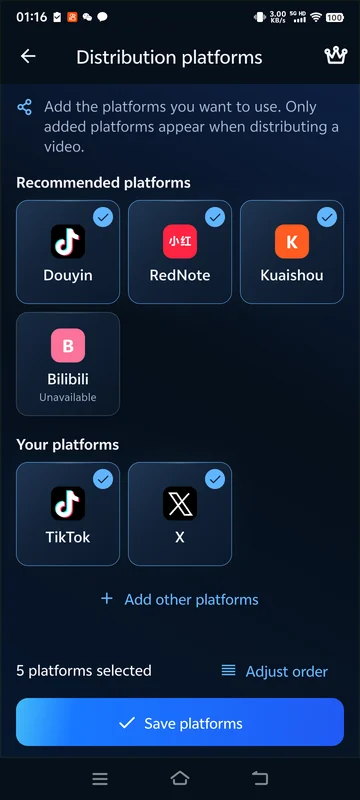
Browse the source catalog to find supported link services. Destination platforms are configured separately for sharing. A platform appearing in a catalog does not guarantee that every link can be downloaded or every post accepted.
Android · Free lets you configure 1 destination platform and change it when needed. Active Plus or a valid trial has no configured platform-count limit. This applies to platforms available in the app, not every service. The app hands off video and your prepared caption in sequence; you finish uploading and publishing in each destination app. System sharing remains free.
Android · 0.1.4 (16)
The Android release adds more control over editing and clearer processing results. The original video stays unchanged; the tutorials below explain the workflow and access requirements.
Split the same video repeatedly, delete unwanted segments and export the remaining segments in order while keeping the original.
Read the guide →Choose preset or custom text colors with active Plus or a valid trial.
Read the guide →Fixed masks show loading, success and failure feedback. Reopening the mask tool while editing the same video can reuse preparation work and reduce repeated waiting.
Read the guide →Follow actual export progress, including finalization, and cancel an export when needed.
Read the guide →Distribution preparation reuses a prepared video where possible. History distinguishes handoff, cancellation and unconfirmed status; handoff does not mean published.
Read the guide →Android 0.1.4 (16) is available on Google Play. Check the store listing for availability in your region and compatibility with your device.
Direct Android download
For new installations. Update Google Play installations through Google Play; update website installations manually from this website.
This APK uses a different signing certificate and cannot update an installation from Google Play.
Version 1.0 for iPhone and iPad has been submitted to Apple. The App Store download link will be added after approval and release.
On iOS, sharing requires sign-in and an active trial or Plus. Finish posting in the receiving app. Prices and renewal terms are shown by the App Store for your account and region.
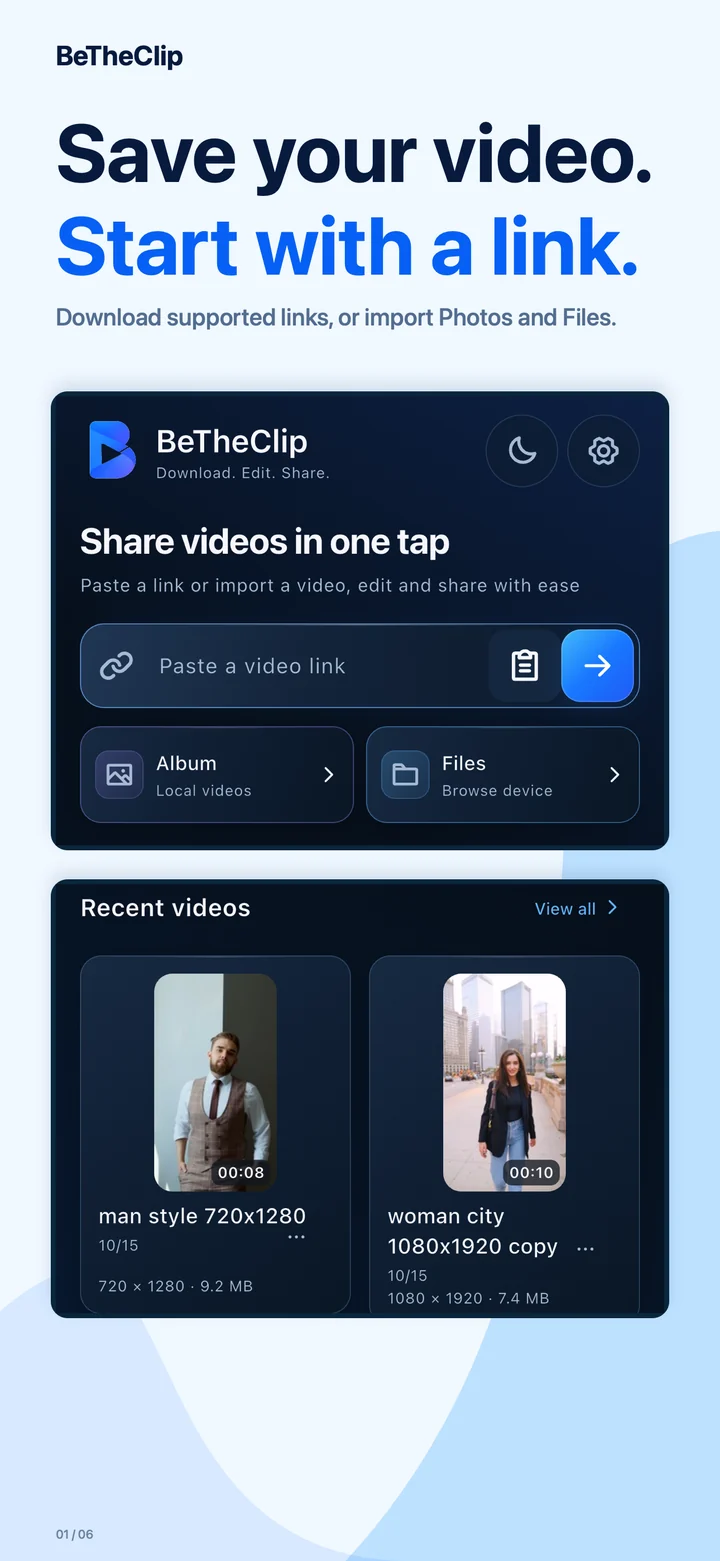
Download supported links, or import Photos and Files.
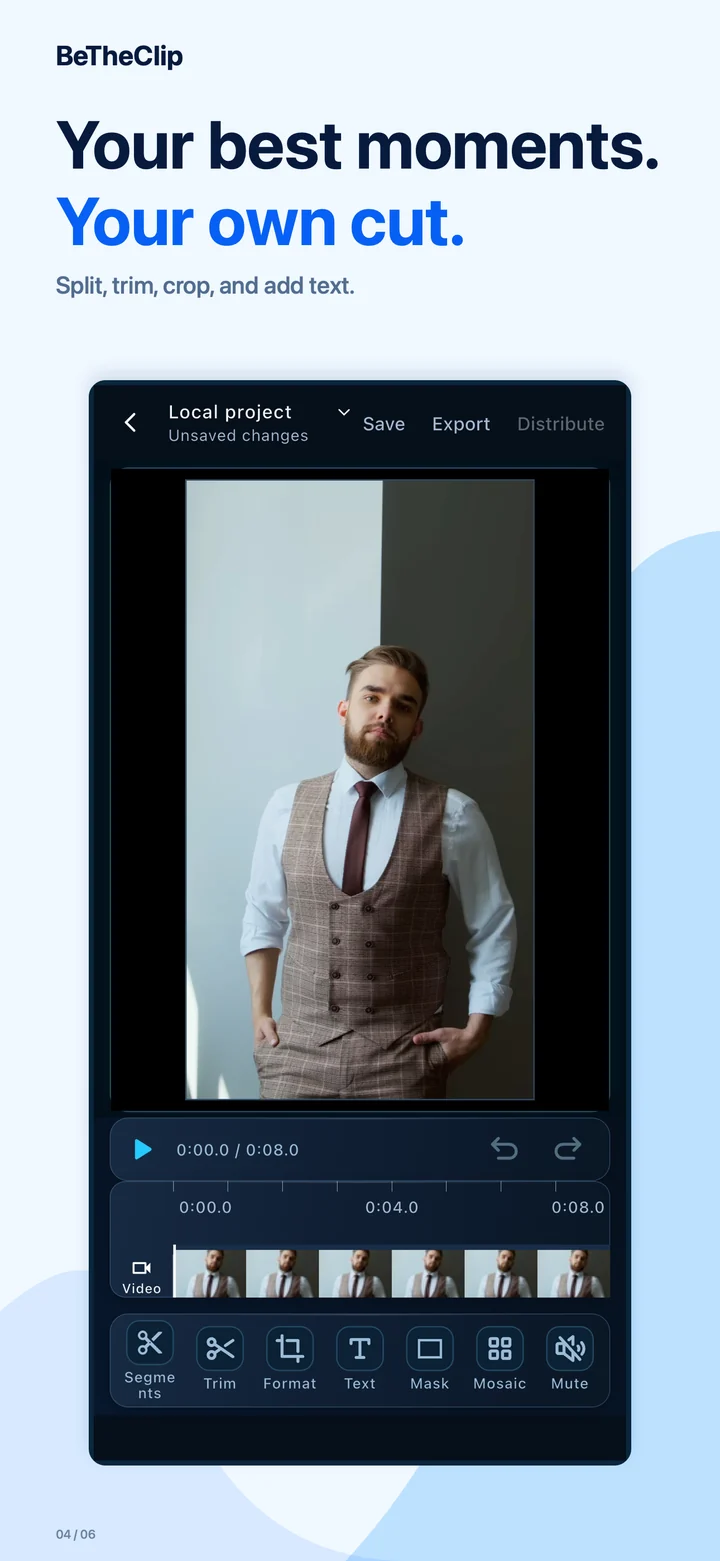
Split, trim, crop, and add text.
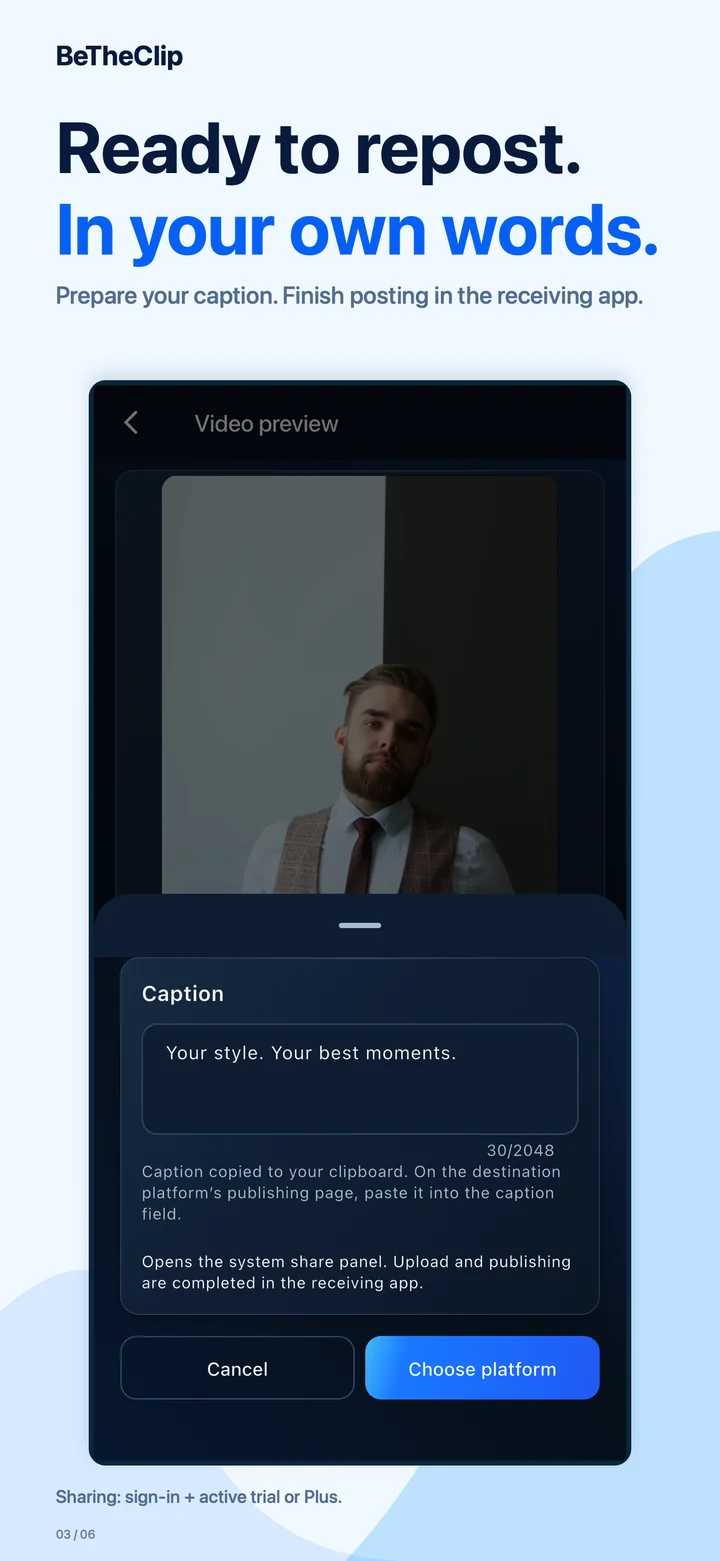
Prepare your caption. Finish posting in the receiving app.
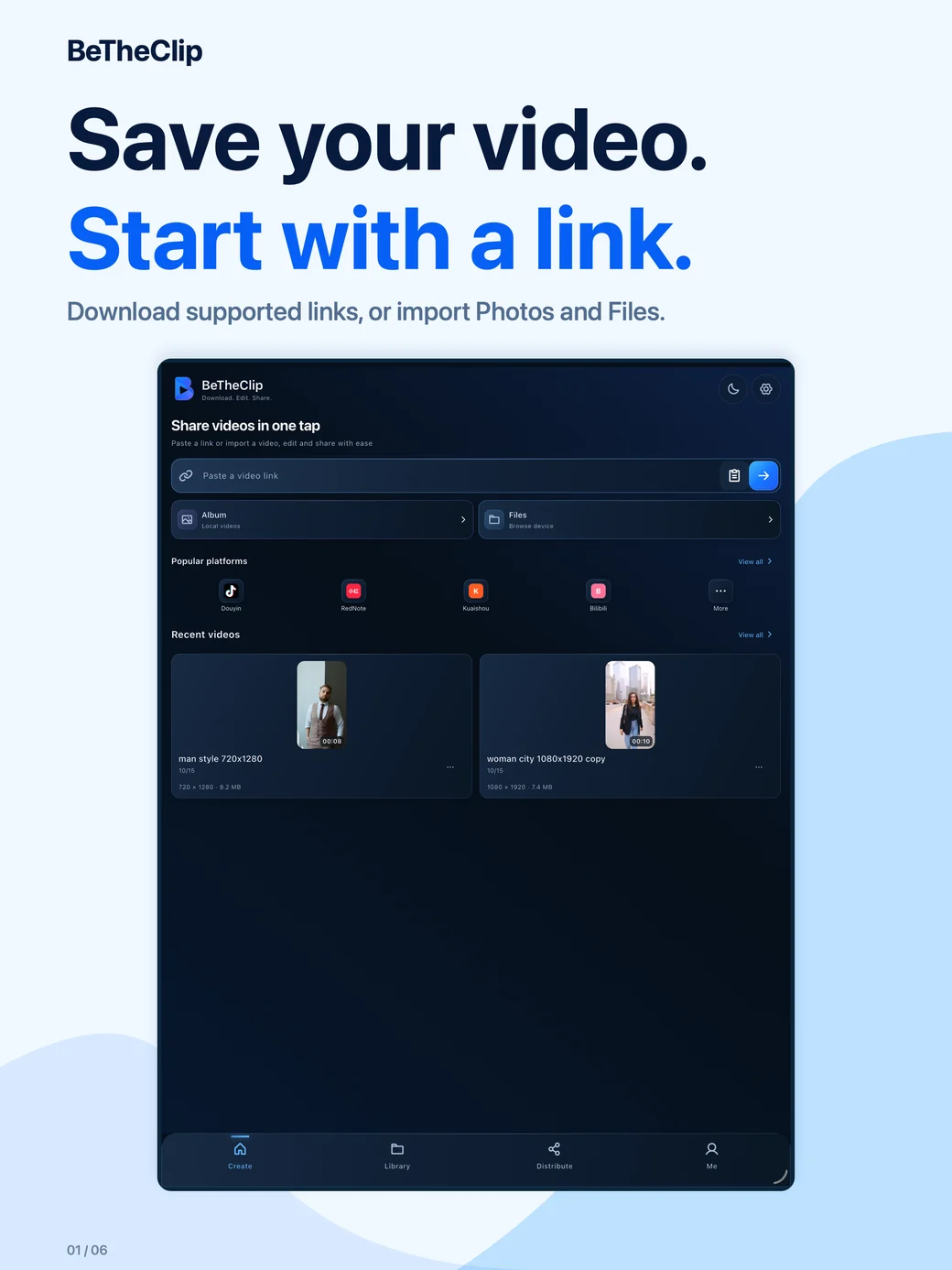
Download supported links, or import Photos and Files.
The walkthrough and Android guides use Android screens. The iOS gallery below uses actual iPhone and iPad captures.
Progress in iOS development does not mean the published Android version has received the same changes. After sharing a video, complete the post in the receiving app.

Version 1.0 for iPhone and iPad has been submitted to Apple. The App Store download link will be added after approval and release. Download, edit and prepare to repost with BeTheClip. Save a supported video link, or import from Photos or Files. Keep the original, make an optional edit, and prepare your post text before sharing. On iOS, sharing requires sign-in and an active trial or Plus. Finish posting in the receiving app. Prices and renewal terms are shown by the App Store for your account and region.

Prepare your videos in BeTheClip: import from your gallery or files, preview clips, save projects and export edited videos. You can also import downloads from supported public video links. Choose added platforms and continue the handoff in each installed destination app.
Use only videos you own or are allowed to download, edit and share. Link downloads depend on source availability, permissions and supported formats; protected or restricted content is not promised. Editing and export also depend on the device and media format.
Yes. Import through Photos or Files and preview it. Editing is optional; use system sharing or prepare a platform handoff.
Android · Free lets you configure 1 destination platform and change it when needed. Active Plus or a valid trial has no configured platform-count limit. This applies to platforms available in the app, not every service. The app hands off video and your prepared caption in sequence; you finish uploading and publishing in each destination app. System sharing remains free.
No. BeTheClip prepares and hands off your video and caption. You complete account selection, upload and publication in the destination app. A successful handoff does not confirm a published post.
Android · Supported-link downloads and local video imports are free. Free tools include trimming a clip's start and end, muting or restoring its audio, and managing your local library. With active Plus or a valid trial, create or change the frame and crop, rotate the video, add text, or cover a fixed area with a solid mask or mosaic. Saved projects keep their existing effects and remain available to open, save and export when membership ends.
Start the free experience yourself from the membership page using a verified account. It runs for 72 continuous hours from the first claim, once per account. No payment is required and it does not automatically charge when it ends. Installing, registering or signing in does not start it. Saved projects and their existing effects remain available after it ends. The three-day experience is open. Use version 0.1.3 (11) or a later compatible build; update older installed versions through Google Play. You can also claim the experience and check its status on the account website.
The app uses the price and currency returned by Google Play for your account and region. Monthly and annual prices, renewal terms and purchase availability are shown before payment. A missing quote is not replaced by a US-dollar reference price. Check the purchase screen for the current offer.
With active Plus or a valid trial, crop an edge out of the frame or cover a fixed area with a solid mask or mosaic. This does not reconstruct hidden pixels or automatically track moving faces or objects. Review the full clip and use only content you have permission to edit.
Android · Import, trim, mute, save, MP4 export and system sharing do not require sign-in. Membership features need a verified account and current entitlement verification. Available sign-in providers are shown in the app; an unavailable provider cannot be used.
Check the link's availability, network connection, available storage and device format support. You can import a local video instead of a link. Downloads and encoding still show progress; wait for the result before retrying. If the problem continues, contact support with the error and app version.
Browse the source catalog to find supported link services. Destination platforms are configured separately for sharing. A platform appearing in a catalog does not guarantee that every link can be downloaded or every post accepted.
Android 0.1.4 (16) is available on Google Play. Check the store listing for availability in your region and compatibility with your device. Version 1.0 for iPhone and iPad has been submitted to Apple. The App Store download link will be added after approval and release.
From a video link to a clip ready to share: follow the steps for the task you need.
Paste a supported public video link into BeTheClip, check the downloaded clip and prepare it for editing or sharing. Includes local import and download troubleshooting.
Read the guidePrepare a local or downloaded video, choose a sharing destination in BeTheClip and finish posting in the receiving app. Learn how manual video reposting works.
Read the guideTrim the ends or split one video repeatedly, delete unwanted segments and export the rest in order with BeTheClip’s Free tools. Keep the original unchanged.
Read the guidePrepare a vertical video in BeTheClip with the Plus frame and rotation tools. Check a 9:16 composition, keep your subject visible and export the edited result.
Read the guideAdd a title or manual text overlay with Plus, choose a preset or custom color, adjust its placement and check readability before exporting from BeTheClip.
Read the guideUse BeTheClip's Plus crop, cover or mosaic tools to handle a fixed area of a video. Learn the tradeoffs and why covering a watermark does not restore hidden pixels.
Read the guideUse Album or Files in BeTheClip to import a local video, preview the original and choose sharing or editing without downloading it again.
Read the guideSave your BeTheClip project, reopen it from Library and understand why a saved project is different from an exported MP4 video.
Read the guideApply your changes, export an MP4 in BeTheClip, save it to Photos and troubleshoot an export without mistaking progress for a completed file.
Read the guideCompare Free and Plus, find the three-day experience and understand account verification, compatible app versions and what stays available after access ends.
Read the guideUnderstand BeTheClip's source catalog, configured destinations and system sharing, and check compatibility without assuming every listed platform works for every video.
Read the guideCheck the source or export, installed receiving app and sharing state in BeTheClip before retrying a video handoff or using the destination's own upload flow.
Read the guideAndroid 0.1.4 (16) is available on Google Play. Check the store listing for availability in your region and compatibility with your device. Version 1.0 for iPhone and iPad has been submitted to Apple. The App Store download link will be added after approval and release.